When using the HTML5 canvas element it would be nice to have access to the one thing Flash does well: matrix transformations. This short utility adds the classic matrix operations: rotation, translation, scaling, concatenation, and inverting. It also provides the very useful transformPoint to transform points on an object in the same way that canvas transforms images.
Working with HTML5 Canvas
You’ll most likely want to use the following function to make using matrix transformations super easy with your HTML5 Canvas.
    function withTransformation(transformation, block) {
      context.save();

      context.transform(
        transformation.a,
        transformation.b,
        transformation.c,
        transformation.d,
        transformation.tx,
        transformation.ty
      );

      try {
        block();
      } finally {
        context.restore();
      }
    }
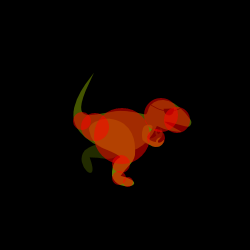
This is great for objects that have components, such as, completely hypothetically, a dinosaur flying and rotating through the air crazily swinging a chainsaw while wearing a jetpack.

Working with collision detection
A big advantage of circular collision detection comes when used with Euclidean Transformations, isometries of the Euclidean plane that preserve geometric properties such as length. Rotation, translation and reflection are the subset of affine transformations that maintain these properties.
If the collision area of an object is represented by n circles, then you can transform the points representing the centers of each circle with the same transformation as the one applied to the object. Because circles are the same across translation, rotation, and reflection, the logic to detect collisions remains the same, using the new center-points.

Scaling by the same factor across x and y could also work, just multiply the radius by the scale factor. Skewing would affect the shape of the circles, and therefore cannot be used without significant modification to the collision detection algorithm.
The Code
On github
/**
* Matrix.js v1.1.0
*
* Copyright (c) 2010 STRd6
*
* Permission is hereby granted, free of charge, to any person obtaining a copy
* of this software and associated documentation files (the "Software"), to deal
* in the Software without restriction, including without limitation the rights
* to use, copy, modify, merge, publish, distribute, sublicense, and/or sell
* copies of the Software, and to permit persons to whom the Software is
* furnished to do so, subject to the following conditions:
*
* The above copyright notice and this permission notice shall be included in
* all copies or substantial portions of the Software.
*
* THE SOFTWARE IS PROVIDED "AS IS", WITHOUT WARRANTY OF ANY KIND, EXPRESS OR
* IMPLIED, INCLUDING BUT NOT LIMITED TO THE WARRANTIES OF MERCHANTABILITY,
* FITNESS FOR A PARTICULAR PURPOSE AND NONINFRINGEMENT. IN NO EVENT SHALL THE
* AUTHORS OR COPYRIGHT HOLDERS BE LIABLE FOR ANY CLAIM, DAMAGES OR OTHER
* LIABILITY, WHETHER IN AN ACTION OF CONTRACT, TORT OR OTHERWISE, ARISING FROM,
* OUT OF OR IN CONNECTION WITH THE SOFTWARE OR THE USE OR OTHER DEALINGS IN
* THE SOFTWARE.
*
* Loosely based on flash:
* http://www.adobe.com/livedocs/flash/9.0/ActionScriptLangRefV3/flash/geom/Matrix.html
*/
(function() {
  /**
   * Create a new point with given x and y coordinates. If no arguments are given
   * defaults to (0, 0).
   * @name Point
   * @param {Number} [x]
   * @param {Number} [y]
   * @constructor
   */
  function Point(x, y) {
    return {
      /**
       * The x coordinate of this point.
       * @name x
       * @fieldOf Point#
       */
      x: x || 0,
      /**
       * The y coordinate of this point.
       * @name y
       * @fieldOf Point#
       */
      y: y || 0,
      /**
       * Adds a point to this one and returns the new point.
       * @name add
       * @methodOf Point#
       *
       * @param {Point} other The point to add this point to.
       * @returns A new point, the sum of both.
       * @type Point
       */
      add: function(other) {
        return Point(this.x + other.x, this.y + other.y);
      }
    }
  }

  /**
   * @param {Point} p1
   * @param {Point} p2
   * @returns The Euclidean distance between two points.
   */
  Point.distance = function(p1, p2) {
    return Math.sqrt(Math.pow(p2.x - p1.x, 2) + Math.pow(p2.y - p1.y, 2));
  };

  /**
   * If you have two dudes, one standing at point p1, and the other
   * standing at point p2, then this method will return the direction
   * that the dude standing at p1 will need to face to look at p2.
   * @param {Point} p1 The starting point.
   * @param {Point} p2 The ending point.
   * @returns The direction from p1 to p2 in radians.
   */
  Point.direction = function(p1, p2) {
    return Math.atan2(
      p2.y - p1.y,
      p2.x - p1.x
    );
  }

  /**
   *  _        _
   * | a  c tx  |
   * | b  d ty  |
   * |_0  0  1 _|
   * Creates a matrix for 2d affine transformations.
   *
   * concat, inverse, rotate, scale and translate return new matrices with the
   * transformations applied. The matrix is not modified in place.
   *
   * Returns the identity matrix when called with no arguments.
   * @name Matrix
   * @param {Number} [a]
   * @param {Number} [b]
   * @param {Number} [c]
   * @param {Number} [d]
   * @param {Number} [tx]
   * @param {Number} [ty]
   * @constructor
   */
  function Matrix(a, b, c, d, tx, ty) {
    a = a !== undefined ? a : 1;
    d = d !== undefined ? d : 1;

    return {
      /**
       * @name a
       * @fieldOf Matrix#
       */
      a: a,
      /**
       * @name b
       * @fieldOf Matrix#
       */
      b: b || 0,
      /**
       * @name c
       * @fieldOf Matrix#
       */
      c: c || 0,
      /**
       * @name d
       * @fieldOf Matrix#
       */
      d: d,
      /**
       * @name tx
       * @fieldOf Matrix#
       */
      tx: tx || 0,
      /**
       * @name ty
       * @fieldOf Matrix#
       */
      ty: ty || 0,

      /**
       * Returns the result of this matrix multiplied by another matrix
       * combining the geometric effects of the two. In mathematical terms,
       * concatenating two matrixes is the same as combining them using matrix multiplication.
       * If this matrix is A and the matrix passed in is B, the resulting matrix is A x B
       * http://mathworld.wolfram.com/MatrixMultiplication.html
       * @name concat
       * @methodOf Matrix#
       *
       * @param {Matrix} matrix The matrix to multiply this matrix by.
       * @returns The result of the matrix multiplication, a new matrix.
       * @type Matrix
       */
      concat: function(matrix) {
        return Matrix(
          this.a * matrix.a + this.c * matrix.b,
          this.b * matrix.a + this.d * matrix.b,
          this.a * matrix.c + this.c * matrix.d,
          this.b * matrix.c + this.d * matrix.d,
          this.a * matrix.tx + this.c * matrix.ty + this.tx,
          this.b * matrix.tx + this.d * matrix.ty + this.ty
        );
      },

      /**
       * Given a point in the pretransform coordinate space, returns the coordinates of
       * that point after the transformation occurs. Unlike the standard transformation
       * applied using the transformPoint() method, the deltaTransformPoint() method's
       * transformation does not consider the translation parameters tx and ty.
       * @name deltaTransformPoint
       * @methodOf Matrix#
       * @see #transformPoint
       *
       * @return A new point transformed by this matrix ignoring tx and ty.
       * @type Point
       */
      deltaTransformPoint: function(point) {
        return Point(
          this.a * point.x + this.c * point.y,
          this.b * point.x + this.d * point.y
        );
      },

      /**
       * Returns the inverse of the matrix.
       * http://mathworld.wolfram.com/MatrixInverse.html
       * @name inverse
       * @methodOf Matrix#
       *
       * @returns A new matrix that is the inverse of this matrix.
       * @type Matrix
       */
      inverse: function() {
        var determinant = this.a * this.d - this.b * this.c;
        return Matrix(
          this.d / determinant,
          -this.b / determinant,
          -this.c / determinant,
          this.a / determinant,
          (this.c * this.ty - this.d * this.tx) / determinant,
          (this.b * this.tx - this.a * this.ty) / determinant
        );
      },

      /**
       * Returns a new matrix that corresponds this matrix multiplied by a
       * a rotation matrix.
       * @name rotate
       * @methodOf Matrix#
       * @see Matrix.rotation
       *
       * @param {Number} theta Amount to rotate in radians.
       * @param {Point} [aboutPoint] The point about which this rotation occurs. Defaults to (0,0).
       * @returns A new matrix, rotated by the specified amount.
       * @type Matrix
       */
      rotate: function(theta, aboutPoint) {
        return this.concat(Matrix.rotation(theta, aboutPoint));
      },

      /**
       * Returns a new matrix that corresponds this matrix multiplied by a
       * a scaling matrix.
       * @name scale
       * @methodOf Matrix#
       * @see Matrix.scale
       *
       * @param {Number} sx
       * @param {Number} [sy]
       * @param {Point} [aboutPoint] The point that remains fixed during the scaling
       * @type Matrix
       */
      scale: function(sx, sy, aboutPoint) {
        return this.concat(Matrix.scale(sx, sy, aboutPoint));
      },

      /**
       * Returns the result of applying the geometric transformation represented by the
       * Matrix object to the specified point.
       * @name transformPoint
       * @methodOf Matrix#
       * @see #deltaTransformPoint
       *
       * @returns A new point with the transformation applied.
       * @type Point
       */
      transformPoint: function(point) {
        return Point(
          this.a * point.x + this.c * point.y + this.tx,
          this.b * point.x + this.d * point.y + this.ty
        );
      },

      /**
       * Translates the matrix along the x and y axes, as specified by the tx and ty parameters.
       * @name translate
       * @methodOf Matrix#
       * @see Matrix.translation
       *
       * @param {Number} tx The translation along the x axis.
       * @param {Number} ty The translation along the y axis.
       * @returns A new matrix with the translation applied.
       * @type Matrix
       */
      translate: function(tx, ty) {
        return this.concat(Matrix.translation(tx, ty));
      }
    }
  }

  /**
   * Creates a matrix transformation that corresponds to the given rotation,
   * around (0,0) or the specified point.
   * @see Matrix#rotate
   *
   * @param {Number} theta Rotation in radians.
   * @param {Point} [aboutPoint] The point about which this rotation occurs. Defaults to (0,0).
   * @returns
   * @type Matrix
   */
  Matrix.rotation = function(theta, aboutPoint) {
    var rotationMatrix = Matrix(
      Math.cos(theta),
      Math.sin(theta),
      -Math.sin(theta),
      Math.cos(theta)
    );

    if(aboutPoint) {
      rotationMatrix =
        Matrix.translation(aboutPoint.x, aboutPoint.y).concat(
          rotationMatrix
        ).concat(
          Matrix.translation(-aboutPoint.x, -aboutPoint.y)
        );
    }

    return rotationMatrix;
  };

  /**
   * Returns a matrix that corresponds to scaling by factors of sx, sy along
   * the x and y axis respectively.
   * If only one parameter is given the matrix is scaled uniformly along both axis.
   * If the optional aboutPoint parameter is given the scaling takes place
   * about the given point.
   * @see Matrix#scale
   *
   * @param {Number} sx The amount to scale by along the x axis or uniformly if no sy is given.
   * @param {Number} [sy] The amount to scale by along the y axis.
   * @param {Point} [aboutPoint] The point about which the scaling occurs. Defaults to (0,0).
   * @returns A matrix transformation representing scaling by sx and sy.
   * @type Matrix
   */
  Matrix.scale = function(sx, sy, aboutPoint) {
    sy = sy || sx;

    var scaleMatrix = Matrix(sx, 0, 0, sy);

    if(aboutPoint) {
      scaleMatrix =
        Matrix.translation(aboutPoint.x, aboutPoint.y).concat(
          scaleMatrix
        ).concat(
          Matrix.translation(-aboutPoint.x, -aboutPoint.y)
        );
    }

    return scaleMatrix;
  };

  /**
   * Returns a matrix that corresponds to a translation of tx, ty.
   * @see Matrix#translate
   *
   * @param {Number} tx The amount to translate in the x direction.
   * @param {Number} ty The amount to translate in the y direction.
   * @return A matrix transformation representing a translation by tx and ty.
   * @type Matrix
   */
  Matrix.translation = function(tx, ty) {
    return Matrix(1, 0, 0, 1, tx, ty);
  };

  /**
   * A constant representing the identity matrix.
   * @name IDENTITY
   * @fieldOf Matrix
   */
  Matrix.IDENTITY = Matrix();
  /**
   * A constant representing the horizontal flip transformation matrix.
   * @name HORIZONTAL_FLIP
   * @fieldOf Matrix
   */
  Matrix.HORIZONTAL_FLIP = Matrix(-1, 0, 0, 1);
  /**
   * A constant representing the vertical flip transformation matrix.
   * @name VERTICAL_FLIP
   * @fieldOf Matrix
   */
  Matrix.VERTICAL_FLIP = Matrix(1, 0, 0, -1);

  // Export to window
  window["Point"] = Point;
  window["Matrix"] = Matrix;
}());










 Daniel X's Blog