Introducing matrix.js

When using the HTML5 canvas element it would be nice to have access to the one thing Flash does well: matrix transformations. This short utility adds the classic matrix operations: rotation, translation, scaling, concatenation, and inverting. It also provides the very useful transformPoint to transform points on an object in the same way that canvas transforms images.

Working with HTML5 Canvas

You’ll most likely want to use the following function to make using matrix transformations super easy with your HTML5 Canvas.

    function withTransformation(transformation, block) {
      context.save();

      context.transform(
        transformation.a,
        transformation.b,
        transformation.c,
        transformation.d,
        transformation.tx,
        transformation.ty
      );

      try {
        block();
      } finally {
        context.restore();
      }
    }

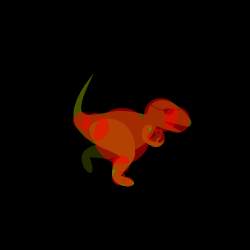
This is great for objects that have components, such as, completely hypothetically, a dinosaur flying and rotating through the air crazily swinging a chainsaw while wearing a jetpack.

Working with collision detection

A big advantage of circular collision detection comes when used with Euclidean Transformations, isometries of the Euclidean plane that preserve geometric properties such as length. Rotation, translation and reflection are the subset of affine transformations that maintain these properties.

If the collision area of an object is represented by n circles, then you can transform the points representing the centers of each circle with the same transformation as the one applied to the object. Because circles are the same across translation, rotation, and reflection, the logic to detect collisions remains the same, using the new center-points.

Scaling by the same factor across x and y could also work, just multiply the radius by the scale factor. Skewing would affect the shape of the circles, and therefore cannot be used without significant modification to the collision detection algorithm.

The Code

On github

/**
* Matrix.js v1.1.0
*
* Copyright (c) 2010 STRd6
*
* Permission is hereby granted, free of charge, to any person obtaining a copy
* of this software and associated documentation files (the "Software"), to deal
* in the Software without restriction, including without limitation the rights
* to use, copy, modify, merge, publish, distribute, sublicense, and/or sell
* copies of the Software, and to permit persons to whom the Software is
* furnished to do so, subject to the following conditions:
*
* The above copyright notice and this permission notice shall be included in
* all copies or substantial portions of the Software.
*
* THE SOFTWARE IS PROVIDED "AS IS", WITHOUT WARRANTY OF ANY KIND, EXPRESS OR
* IMPLIED, INCLUDING BUT NOT LIMITED TO THE WARRANTIES OF MERCHANTABILITY,
* FITNESS FOR A PARTICULAR PURPOSE AND NONINFRINGEMENT. IN NO EVENT SHALL THE
* AUTHORS OR COPYRIGHT HOLDERS BE LIABLE FOR ANY CLAIM, DAMAGES OR OTHER
* LIABILITY, WHETHER IN AN ACTION OF CONTRACT, TORT OR OTHERWISE, ARISING FROM,
* OUT OF OR IN CONNECTION WITH THE SOFTWARE OR THE USE OR OTHER DEALINGS IN
* THE SOFTWARE.
*
* Loosely based on flash:
* http://www.adobe.com/livedocs/flash/9.0/ActionScriptLangRefV3/flash/geom/Matrix.html
*/
(function() {
  /**
   * Create a new point with given x and y coordinates. If no arguments are given
   * defaults to (0, 0).
   * @name Point
   * @param {Number} [x]
   * @param {Number} [y]
   * @constructor
   */
  function Point(x, y) {
    return {
      /**
       * The x coordinate of this point.
       * @name x
       * @fieldOf Point#
       */
      x: x || 0,
      /**
       * The y coordinate of this point.
       * @name y
       * @fieldOf Point#
       */
      y: y || 0,
      /**
       * Adds a point to this one and returns the new point.
       * @name add
       * @methodOf Point#
       *
       * @param {Point} other The point to add this point to.
       * @returns A new point, the sum of both.
       * @type Point
       */
      add: function(other) {
        return Point(this.x + other.x, this.y + other.y);
      }
    }
  }

  /**
   * @param {Point} p1
   * @param {Point} p2
   * @returns The Euclidean distance between two points.
   */
  Point.distance = function(p1, p2) {
    return Math.sqrt(Math.pow(p2.x - p1.x, 2) + Math.pow(p2.y - p1.y, 2));
  };

  /**
   * If you have two dudes, one standing at point p1, and the other
   * standing at point p2, then this method will return the direction
   * that the dude standing at p1 will need to face to look at p2.
   * @param {Point} p1 The starting point.
   * @param {Point} p2 The ending point.
   * @returns The direction from p1 to p2 in radians.
   */
  Point.direction = function(p1, p2) {
    return Math.atan2(
      p2.y - p1.y,
      p2.x - p1.x
    );
  }

  /**
   *  _        _
   * | a  c tx  |
   * | b  d ty  |
   * |_0  0  1 _|
   * Creates a matrix for 2d affine transformations.
   *
   * concat, inverse, rotate, scale and translate return new matrices with the
   * transformations applied. The matrix is not modified in place.
   *
   * Returns the identity matrix when called with no arguments.
   * @name Matrix
   * @param {Number} [a]
   * @param {Number} [b]
   * @param {Number} [c]
   * @param {Number} [d]
   * @param {Number} [tx]
   * @param {Number} [ty]
   * @constructor
   */
  function Matrix(a, b, c, d, tx, ty) {
    a = a !== undefined ? a : 1;
    d = d !== undefined ? d : 1;

    return {
      /**
       * @name a
       * @fieldOf Matrix#
       */
      a: a,
      /**
       * @name b
       * @fieldOf Matrix#
       */
      b: b || 0,
      /**
       * @name c
       * @fieldOf Matrix#
       */
      c: c || 0,
      /**
       * @name d
       * @fieldOf Matrix#
       */
      d: d,
      /**
       * @name tx
       * @fieldOf Matrix#
       */
      tx: tx || 0,
      /**
       * @name ty
       * @fieldOf Matrix#
       */
      ty: ty || 0,

      /**
       * Returns the result of this matrix multiplied by another matrix
       * combining the geometric effects of the two. In mathematical terms,
       * concatenating two matrixes is the same as combining them using matrix multiplication.
       * If this matrix is A and the matrix passed in is B, the resulting matrix is A x B
       * http://mathworld.wolfram.com/MatrixMultiplication.html
       * @name concat
       * @methodOf Matrix#
       *
       * @param {Matrix} matrix The matrix to multiply this matrix by.
       * @returns The result of the matrix multiplication, a new matrix.
       * @type Matrix
       */
      concat: function(matrix) {
        return Matrix(
          this.a * matrix.a + this.c * matrix.b,
          this.b * matrix.a + this.d * matrix.b,
          this.a * matrix.c + this.c * matrix.d,
          this.b * matrix.c + this.d * matrix.d,
          this.a * matrix.tx + this.c * matrix.ty + this.tx,
          this.b * matrix.tx + this.d * matrix.ty + this.ty
        );
      },

      /**
       * Given a point in the pretransform coordinate space, returns the coordinates of
       * that point after the transformation occurs. Unlike the standard transformation
       * applied using the transformPoint() method, the deltaTransformPoint() method's
       * transformation does not consider the translation parameters tx and ty.
       * @name deltaTransformPoint
       * @methodOf Matrix#
       * @see #transformPoint
       *
       * @return A new point transformed by this matrix ignoring tx and ty.
       * @type Point
       */
      deltaTransformPoint: function(point) {
        return Point(
          this.a * point.x + this.c * point.y,
          this.b * point.x + this.d * point.y
        );
      },

      /**
       * Returns the inverse of the matrix.
       * http://mathworld.wolfram.com/MatrixInverse.html
       * @name inverse
       * @methodOf Matrix#
       *
       * @returns A new matrix that is the inverse of this matrix.
       * @type Matrix
       */
      inverse: function() {
        var determinant = this.a * this.d - this.b * this.c;
        return Matrix(
          this.d / determinant,
          -this.b / determinant,
          -this.c / determinant,
          this.a / determinant,
          (this.c * this.ty - this.d * this.tx) / determinant,
          (this.b * this.tx - this.a * this.ty) / determinant
        );
      },

      /**
       * Returns a new matrix that corresponds this matrix multiplied by a
       * a rotation matrix.
       * @name rotate
       * @methodOf Matrix#
       * @see Matrix.rotation
       *
       * @param {Number} theta Amount to rotate in radians.
       * @param {Point} [aboutPoint] The point about which this rotation occurs. Defaults to (0,0).
       * @returns A new matrix, rotated by the specified amount.
       * @type Matrix
       */
      rotate: function(theta, aboutPoint) {
        return this.concat(Matrix.rotation(theta, aboutPoint));
      },

      /**
       * Returns a new matrix that corresponds this matrix multiplied by a
       * a scaling matrix.
       * @name scale
       * @methodOf Matrix#
       * @see Matrix.scale
       *
       * @param {Number} sx
       * @param {Number} [sy]
       * @param {Point} [aboutPoint] The point that remains fixed during the scaling
       * @type Matrix
       */
      scale: function(sx, sy, aboutPoint) {
        return this.concat(Matrix.scale(sx, sy, aboutPoint));
      },

      /**
       * Returns the result of applying the geometric transformation represented by the
       * Matrix object to the specified point.
       * @name transformPoint
       * @methodOf Matrix#
       * @see #deltaTransformPoint
       *
       * @returns A new point with the transformation applied.
       * @type Point
       */
      transformPoint: function(point) {
        return Point(
          this.a * point.x + this.c * point.y + this.tx,
          this.b * point.x + this.d * point.y + this.ty
        );
      },

      /**
       * Translates the matrix along the x and y axes, as specified by the tx and ty parameters.
       * @name translate
       * @methodOf Matrix#
       * @see Matrix.translation
       *
       * @param {Number} tx The translation along the x axis.
       * @param {Number} ty The translation along the y axis.
       * @returns A new matrix with the translation applied.
       * @type Matrix
       */
      translate: function(tx, ty) {
        return this.concat(Matrix.translation(tx, ty));
      }
    }
  }

  /**
   * Creates a matrix transformation that corresponds to the given rotation,
   * around (0,0) or the specified point.
   * @see Matrix#rotate
   *
   * @param {Number} theta Rotation in radians.
   * @param {Point} [aboutPoint] The point about which this rotation occurs. Defaults to (0,0).
   * @returns
   * @type Matrix
   */
  Matrix.rotation = function(theta, aboutPoint) {
    var rotationMatrix = Matrix(
      Math.cos(theta),
      Math.sin(theta),
      -Math.sin(theta),
      Math.cos(theta)
    );

    if(aboutPoint) {
      rotationMatrix =
        Matrix.translation(aboutPoint.x, aboutPoint.y).concat(
          rotationMatrix
        ).concat(
          Matrix.translation(-aboutPoint.x, -aboutPoint.y)
        );
    }

    return rotationMatrix;
  };

  /**
   * Returns a matrix that corresponds to scaling by factors of sx, sy along
   * the x and y axis respectively.
   * If only one parameter is given the matrix is scaled uniformly along both axis.
   * If the optional aboutPoint parameter is given the scaling takes place
   * about the given point.
   * @see Matrix#scale
   *
   * @param {Number} sx The amount to scale by along the x axis or uniformly if no sy is given.
   * @param {Number} [sy] The amount to scale by along the y axis.
   * @param {Point} [aboutPoint] The point about which the scaling occurs. Defaults to (0,0).
   * @returns A matrix transformation representing scaling by sx and sy.
   * @type Matrix
   */
  Matrix.scale = function(sx, sy, aboutPoint) {
    sy = sy || sx;

    var scaleMatrix = Matrix(sx, 0, 0, sy);

    if(aboutPoint) {
      scaleMatrix =
        Matrix.translation(aboutPoint.x, aboutPoint.y).concat(
          scaleMatrix
        ).concat(
          Matrix.translation(-aboutPoint.x, -aboutPoint.y)
        );
    }

    return scaleMatrix;
  };

  /**
   * Returns a matrix that corresponds to a translation of tx, ty.
   * @see Matrix#translate
   *
   * @param {Number} tx The amount to translate in the x direction.
   * @param {Number} ty The amount to translate in the y direction.
   * @return A matrix transformation representing a translation by tx and ty.
   * @type Matrix
   */
  Matrix.translation = function(tx, ty) {
    return Matrix(1, 0, 0, 1, tx, ty);
  };

  /**
   * A constant representing the identity matrix.
   * @name IDENTITY
   * @fieldOf Matrix
   */
  Matrix.IDENTITY = Matrix();
  /**
   * A constant representing the horizontal flip transformation matrix.
   * @name HORIZONTAL_FLIP
   * @fieldOf Matrix
   */
  Matrix.HORIZONTAL_FLIP = Matrix(-1, 0, 0, 1);
  /**
   * A constant representing the vertical flip transformation matrix.
   * @name VERTICAL_FLIP
   * @fieldOf Matrix
   */
  Matrix.VERTICAL_FLIP = Matrix(1, 0, 0, -1);

  // Export to window
  window["Point"] = Point;
  window["Matrix"] = Matrix;
}());

Circular Collision Detection in JavaScript

Collision detection is the core of many games and simulations. It is therefore important to have a simple and efficient collision detection algorithm.

This algorithm uses circles as the basis for colliding elements.

function collision(c1, c2) {
  var dx = c1.x - c2.x;
  var dy = c1.y - c2.y;
  var dist = c1.radius + c2.radius;

  return (dx * dx + dy * dy <= dist * dist)
}

Envisioning it graphically shows how the inequality relates to the Pythagorean Theorem.

Simple Tutorial to Make a Chrome Extension that uses jQuery UI

Google Chrome has had extensions for a while now, but because the Linux client is a little farther behind I never got farther than the simple hello world tutorial. Today, however, I am pleased to announce that Chrome extensions are totally boss, and it is extremely easy to get a jQuery UI skinned template app going in 15 minutes, just by following three easy steps.

Step 1 – Brushing up on the Hello World Extension Tutorial

Follow the Getting Started (Hello World) tutorial. The tutorial is very well written and will help you get your bearings about what extensions can do and the minimum you need to get started. A key part is the manifest.json

{
  "name": "My First Extension",
  "version": "1.0",
  "description": "The first extension that I made.",
  "browser_action": {
    "default_icon": "icon.png"
  },
  "permissions": [
    "http://api.flickr.com/"
  ]
}

The name, version, and description fields are all self explanatory. The browser action one is interesting. It means that your extension will add a button to the browser (right after the address bar) with the specified icon. So far as I can tell the only thing that the button can do now is display a popup, though this popup can communicate with other parts of your extension. Permissions are also important, they specify what domains you can access via xmlhttprequests.

At this point you should have a working hello world tutorial, if not please continue to follow the rest of the directions on the full tutorial page, I’ll wait.

Step 2 jQuerying it up

After you finish the tutorial you may come to feel that raw JS is pretty harsh stuff and it would be great to get a little jQuery action in there. No need to fear, just add this to your “popup.html” file:

http://ajax.googleapis.com/ajax/libs/jquery/1.4/jquery.min.js

You don’t even need to add a file anywhere in your extension. Neat! Now you can rewrite the part of the tutorial that connects to the Flickr API like so:

$.get("http://api.flickr.com/services/rest/", {
    method: "flickr.photos.search",
    api_key: "90485e931f687a9b9c2a66bf58a3861a",
    text: "hello world",
    safe_search: 1,
    content_type: 1,
    sort: "relevance",
    per_page: 20
  }, function(data, status, request) {
    var photos = request.responseXML.getElementsByTagName("photo");

    for (var i = 0, photo; photo = photos[i]; i++) {
      var img = document.createElement("image");
      img.src = constructImageURL(photo);
      document.body.appendChild(img);
    }
  }
);

Love that fresh jQuery scent. Note that I left the constructImageURL function unchanged, so you’ll still need it if you want the extension to continue working.

Step 3 Adding jQuery UI (It’s Easy!)

This is the easy part. Go to the jQuery UI custom build your own download. Keep all the UI stuff checked and choose your favorite theme, you’ll have plenty of time later to choose exactly what you want or need, but for now just focus on seeing how easy it is to integrate. Now download the zip and extract in into your extensions root directory.

You can go to chrome-extension://extensionId/index.html and see all the magic of the jQuery UI demo, but working from inside a Chrome Extension. Of course extensionId is whatever that giant random string of characters that Chrome assigned to your extension was, something like opnnhifacfpohionnikhlecfgheooenk. (Learn more here)

Congratulations!

Although getting a simple skeleton/hello world extension up only takes a short amount of time, learning about all the possibilities and actually making an extension that does great things will take much longer. I hope that with this tutorial that starting will be very easy and nothing will stand in the way of your dreams.

Peace!

Random Scope

Here’s a little module that will make adding things like Cards.random(4) a breeze!

# This module takes care of adding a random scope to records

module RandomScope
  def self.included(model)
    model.class_eval do
      if connection.adapter_name == "MySQL"
        named_scope :random, lambda { |amount|
          if(amount)
            {:order => "RAND()", :limit => amount}
          else
            {:order => "RAND()"}
          end
        }
      else
        named_scope :random, lambda { |amount|
          if(amount)
            {:order => "RANDOM()", :limit => amount}
          else
            {:order => "RANDOM()"}
          end
        }
      end
    end
  end
end

Pluralizing Post-positive Adjectives in Rails

You know those adjectives that come after nouns? Well, sometimes you may want to pluralize them correctly in your Rails App. I might have been able to get by with “work_in_processes”, but “bill_of_materialsses” just wasn’t going to cut it.

Here’s the technique I used:

# Add new inflection rules using the following format:
ActiveSupport::Inflector.inflections do |inflect|
  inflect.irregular 'BillOfMaterials', 'BillsOfMaterials'
  inflect.irregular 'bill_of_materials', 'bills_of_materials'

  inflect.irregular 'WorkInProcess', 'WorksInProcess'
  inflect.irregular 'work_in_process', 'works_in_process'
end

If you have any improvements or suggestions please comment!

Now off to Burger King to order two Whoppers Jr.

JavaScript Three Equals

Even though == is called the equality operator it is not an equivalence relation on the set of JavaScript objects. It fails to partition each object into exactly one disjoint subset. This is because in JavaScript the == operator lacks transitivity. Observe:

a = '';
b = 0;
c = '0';

a == b; // => true
b == c; // => true
a == c; // => false

The reason this is the case is that the == operator perform type coercion on the objects being operated on, usually converting them to strings. This can lead to subtle bugs in code, and JavaScript doesn’t always make the source of errors obvious. Tools like JSLint issue a warning if you use == to compare values with 0 or null because a lot of strange things may pass that comparison.

A good rule of thumb is to always use === when doing comparisons, especially when 0 or null is involved. It will save you lots of headaches.

3 == '3' // => true

// And to play us out...
false == [[[[[[[[[[['']]]]]]]]]]] // => true

Pixie: A jQuery Plugin port of Pixie

That’s right, my idea of a great Saturday afternoon is porting my own code! I wanted to use Pixie in my new Dog Seeder game. It seemed easy enough.

At first I was thinking, “I shouldn’t have to rewrite this”. But then it actually turned out to be unusable. That’s right completely unusable. Well… un-reusable. The first problem was that the code tightly coupled with the specific page html. Referencing certain divs with certain ids. If I wanted to embed it into a new page I’d need to copy all that HTML over. Related to those specific divs the editor was all over the global namespace. There was one `canvas` object and that’s THE canvas, and THE canvas is div#canvas. Ouch…

This was also problematic for extending functionality and adding tools. Each tool was hardcoded into the page. The tools were in div#toolbox and had hardcoded onclick events to call things like `canvas.setTool(pencil)`. More globals… So the mission of extracting that to be useful in another page was too great. It was easier to just rewrite it all with all these good practices in mind, embedability, and extensibility. The long and short of it is that you, gentle reader, really lucked out because now Pixie is way, way better.

Let’s take a look at what’s needed to create a Pixie pixel editor on a new page:

$('#pixie').pixie();

And #pixie is just an empty div! Ok, you do need to include a couple javascript files and some image directories if you want it to work or look good, but nothing special in the HTML itself.

But what if I want to make a new save button that saves the image into Dog Seeder instead locally. I’d need to dig deep into the internals in the old Pixie, but not anymore!

    $("#pixie").pixie({
      initializer: function(canvas) {
        canvas.addAction({
          name: "Save to Creature",
          perform: function(canvas) {
            images[$('#img_path').val()] = canvas.toDataURL();
            $.each(gameObjects, function() {
              $(this).trigger('changed');
            });
          }
        });
      }
    });

Wow, that sure was easy. Maybe I can challenge myself by adding a new tool instead:

          $("#pixie").pixie({
            initializer: function(canvas) {
              var partyPaint = function() {
                this.color(this.canvas.color(rand(2) === 0));

                $.each(this.canvas.getNeighbors(this.x, this.y), function(i, neighbor) {
                  if(neighbor) {
                    neighbor.color(neighbor.canvas.color(rand(2) === 0));
                  }
                });
              }

              canvas.addTool({
                name: "Party Brush",
                hotkeys: ['Y'],
                mousedown: partyPaint,
                mouseenter: partyPaint
              });
            }
          });

That was pretty easy too. Just to save everyone the shame of asking: “Yes, it’s all easy. Yes you can add as many tools and actions as you want. What, icons? Yes, that’s easy too.” Don’t worry, I’ll post some all the examples I have at the end of the post.

And don’t worry about having to muck with the internals, all the standard tools are written using the same API, so anything the pencil tool or clone stamp tool does you can do too. And a lot more. The opportunities are endless.

Speaking of the API, although I feel that it is pretty good, there may be room for improvement. This is a new release and there may be changes in the future. What I’m trying to say is don’t be afraid to suggest improvements and also don’t be surprised if the API changes in a future version.

So what are some of the amazing possibilities for tool extensions? Let’s take a look at what exists so far:

  var tools = {
    pencil: {
      name: "Pencil",
      hotkeys: ['P'],
      icon: imageDir + "pencil.png",
      cursor: "url(" + imageDir + "pencil.png) 4 14, default",
      mousedown: function(e, color) {
        this.color(color);
      },
      mouseenter: function(e, color) {
        this.color(color);
      }
    },

    brush: {
      name: "Brush",
      hotkeys: ['B'],
      icon: imageDir + "paintbrush.png",
      cursor: "url(" + imageDir + "paintbrush.png) 4 14, default",
      mousedown: function(e, color) {
        this.color(color);

        $.each(this.canvas.getNeighbors(this.x, this.y), function(i, neighbor) {
          if(neighbor) {
            neighbor.color(color);
          }
        });
      },
      mouseenter: function(e, color) {
        this.color(color);

        $.each(this.canvas.getNeighbors(this.x, this.y), function(i, neighbor) {
          if(neighbor) {
            neighbor.color(color);
          }
        });
      }
    },

    dropper: {
      name: "Dropper",
      hotkeys: ['I'],
      icon: imageDir + "dropper.png",
      cursor: "url(" + imageDir + "dropper.png) 13 13, default",
      mousedown: function() {
        this.canvas.color(this.color());
        this.canvas.setTool(tools.pencil);
      }
    },

    eraser: {
      name: "Eraser",
      hotkeys: ['E'],
      icon: imageDir + "eraser.png",
      cursor: "url(" + imageDir + "eraser.png) 4 11, default",
      mousedown: function() {
        this.color(null);
      },
      mouseenter: function() {
        this.color(null);
      }
    },

    fill: {
      name: "Fill",
      hotkeys: ['F'],
      icon: imageDir + "fill.png",
      cursor: "url(" + imageDir + "fill.png) 12 13, default",
      mousedown: function(e, newColor, pixel) {
        // Store original pixel's color here
        var originalColor = this.color();

        // Return if original color is same as currentColor
        if(newColor === originalColor) {
          return;
        }

        var q = new Array();
        pixel.color(newColor);
        q.push(pixel);

        while(q.length > 0) {
          pixel = q.pop();

          // Add neighboring pixels to the queue
          var neighbors = this.canvas.getNeighbors(pixel.x, pixel.y);

          $.each(neighbors, function(index, neighbor) {
            if(neighbor && neighbor.css("backgroundColor") === originalColor) {
              neighbor.color(newColor);
              q.push(neighbor);
            }
          });
        }
      }
    }
  };

Most of these are pretty simple. Also notice how easy it is to set a hotkey and icon/cursor. The mousedown and mouseenter are the standard tool workhorse methods. They are called with `this` bound to the pixel that the event occurred in. The pixel object is an extended jQuery object, so methods like this.css(someprop, somevalue) also work. The extended part provides utilities like `x`, `y` and `canvas` properties, as well as a color() getter/setter shortcut. Take a look and if it’s not immediately obvious leave a comment so that I can fix my failure and make it clear.

We can also rock a closure to add advanced tools like a clone tool:

  var CloneTool = function() {
    var cloneX, cloneY, targetX, targetY;

    return {
      name: "Clone",
      hotkeys: ['C'],
      icon: imageDir + "clone.png",
      cursor: "url("+ imageDir +"clone.png) 0 0, default",
      mousedown: function(e) {
        if(e.shiftKey) {
          cloneX = this.x;
          cloneY = this.y;
        } else {
          targetX = this.x;
          targetY = this.y;
          var selection = this.canvas.getPixel(cloneX, cloneY);

          if(selection) {
            this.color(selection.color());
          }
        }
      },
      mouseenter: function(e) {
        var deltaX = this.x - targetX;
        var deltaY = this.y - targetY;
        var selection = this.canvas.getPixel(cloneX + deltaX, cloneY + deltaY);

        if(selection) {
          this.color(selection.color());
        }
      }
    };
  };

  tools.clone = CloneTool();

The closure keeps track of the state of the tool with shared variables. This allows the source position to be set when shift is held and the mouse is clicked. Then remembered when the tool is used again at a distant location. Ideally we would also set some sort of marker on the source pixel so we can assist the user to see where we are cloning from. This can be done with setting some CSS properties on the pixels, but I will leave that for another day.

Let’s wrap this up with a heads up: there is going to be a contest to create the best tool for Pixie coming up, so it’s never too early to start preparing. The winning tools may even appear in the next version.

So until next time, stay pixelated.

Source on github.

jqcolor: A jQuery Plugin port of jscolor

That’s right, my idea of a great Sunday afternoon is porting someone else’s code!

At first I was thinking, “I should email this guy and tell him to make a jQuery plugin”. But then I thought, “I’m the one who needs the jQuery plugin…” so I made it. Maybe now I’ll email him and say “I made a jQuery plugin for your color picker”.

Usage:

jQuery(‘input.color’).colorPicker();

This port is from the 1.0.9 version. jscolor was completely rewritten in 1.1.0 and looked like it had some regressions though it is at 1.2.3 now. The newer version is twice as big, still not a jQuery plugin, and also still missing hundreds of semi-colons, so I decided to stick to what I know and work on the smaller version.

So now it is a clunky jQuery plugin. There are still several spots where the syntax could be improved to take advantage of jQuery, but since there are no tests, and I don’t have a bunch of different browers to QA on, I decided to leave it alone as much as possible.

Source on github.

PriorityQueue.js

Ever need a simple priority queue? I sure as hell did. JavaScript doesn’t make sharing code easy, so I’m going the extra mile to bring you this: PriorityQueue.js.

Features:

  • Simple to use and understand.
  • Creates a single PriorityQueue constructor.
  • Instantiate via `PriorityQueue();` or `new PriorityQueue();`
  • Offers both highest first and lowest first ordering.
  • Test suite included.

The default is highest priority first, but when doing something like A* you want lowest priority first… it handles it: `queue = PriorityQueue({low: true});` Boom!

Code is on github.